- Introduction
- What is Jenny Mod in Minecraft?
- Key Features of Jenny Mod
- How to Download Jenny Mod
- How to Install Jenny Mod on Minecraft Java Edition
- How to Install Jenny Mod on Minecraft Pocket Edition (MCPE)
- Troubleshooting Common Installation Issues
- Is Jenny Mod Safe to Use?
- Alternatives to Jenny Mod
- Conclusion
- Frequently Asked Questions (FAQs)

Introduction
Minecraft is known for its limitless creativity and mods that push the game beyond its default limits. One of the most unique and talked-about mods in recent times is the Jenny Mod for Minecraft. Imagine having a virtual girlfriend in your Minecraft world – someone to accompany you on adventures, dance, chat, and even engage in romanticinteractions. The Jenny Mod (sometimes nicknamed the **“Fapcraft” mod by the community) brings this fantasy to life, introducing a character named Jenny who can do all the things a real-life girlfriend might – and more – within the game.
In this comprehensive guide, we’ll cover what the Jenny Mod is, its key features, and exactly how to download and install the latest version step by step. Whether you’re on Minecraft Java Edition or playing on Minecraft Pocket Edition (MCPE) for mobile (Android), we’ve got you covered. We’ll also address common installation issues, discuss safety concerns, and even suggest some alternatives. If you’re ready to spice up your Minecraft experience with this one-of-a-kind add-on, read on – and get ready to meet Jenny in your game!
(Note: The Jenny Mod is an NSFW (not-safe-for-work) mod intended for mature players. It contains adult-themed content. Please proceed accordingly.)
What is Jenny Mod in Minecraft?
The Jenny Mod is a fan-created modification (or “add-on”) for Minecraft that introduces a new girlfriend characternamed Jenny into the game. In essence, Jenny becomes a virtual partner for your player character (Steve or Alex), with whom you can interact in various romantic and fun ways. This mod was originally developed by a Minecraft animator known as SlipperyT around 2018, and it quickly gained popularity due to its unique premise. Unlike regular Minecraft mods that add monsters or tech, Jenny Mod adds a personal companion NPC with a twist of adult humor and intimacy.
Jenny isn’t just any NPC – she comes with custom behaviors, dialogues, and animations that allow her to flirt, go on dates, dance, and even engage in “physical” activities with the player. The mod essentially turns Minecraft into a fantasy dating simulator in a blocky sandbox world. It’s important to note that because of its mature content, the Jenny Mod isn’t part of the official game or marketplace; you have to download it from fan sites. It’s often referred to by names like “Jenny Mod Minecraft”, “MC Jenny Mod”, or even “Ellie Jenny Mod” (as some versions include an additional character named Ellie – more on her later). The term “Fapcraft” mod has also been used in the community, underscoring the mod’s adult nature.

Originally, the Jenny Mod was created for the Java Edition of Minecraft (specifically for Minecraft 1.12.2, an older version on PC). However, due to high demand, fans have ported the Jenny Mod to Minecraft’s Bedrock Edition as well. This means you can find a version of Jenny Mod for Minecraft Pocket Edition (MCPE) on Android mobile devices (often distributed as an add-on pack or APK file). So whether you’re on your computer or mobile, Jenny can join you – with some differences in installation which we’ll cover later.
In summary, Jenny Mod in Minecraft is a fantasy-driven mod that gives you a virtual girlfriend within the game. It’s a way to enhance your gameplay with something truly out-of-the-ordinary – combining Minecraft’s open world with a touch of simulated romance and companionship. It’s popular (often searched as “new Jenny Mod” or “Jenny Mod Minecraft download” by eager players) and continues to be a trending mod for those curious to try a more adventurous Minecraft experience.
Key Features of Jenny Mod
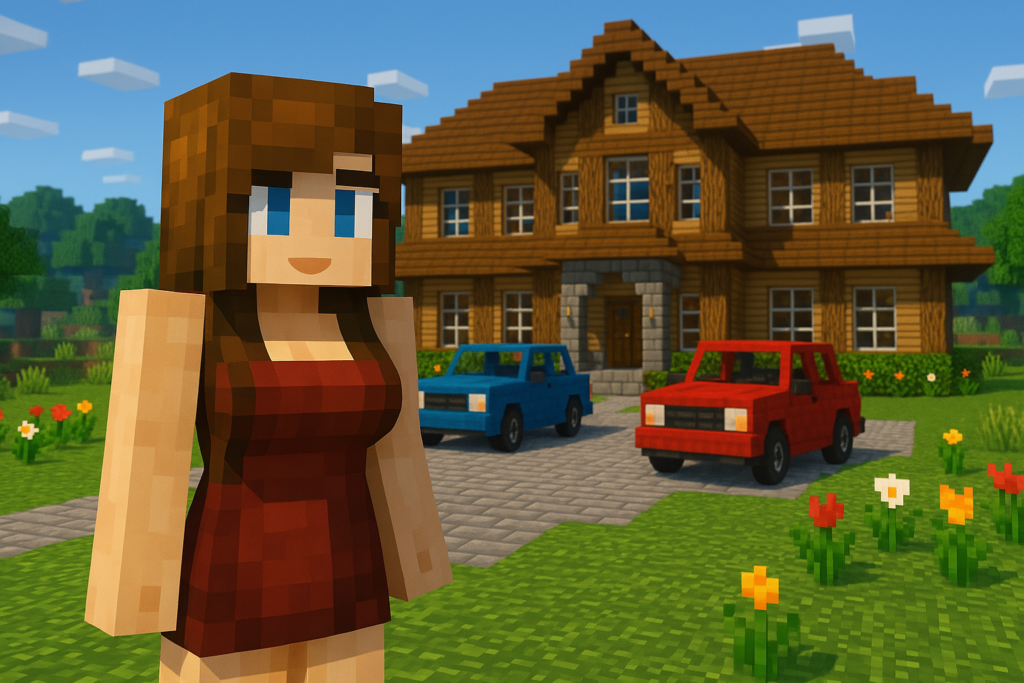
In-game screenshot of the Jenny Mod (Bedrock Edition Fapcraft add-on), showing Jenny (left) and another new female character added into Minecraft.
The Jenny Mod isn’t just about adding a new character – it comes packed with features that make it a standout among Minecraft mods. If you’re wondering what makes this mod so special (and why so many players are searching for Jenny Mod Minecraft PE, Jenny Mod APK, and similar terms), here are some of the key features that Jenny Mod offers:
- Virtual Girlfriend Companion: At the heart of the mod is Jenny herself – a virtual girlfriend who can accompany you in-game. She isn’t just a mindless NPC; Jenny can follow you around, interact with you, and serve as a companion on your adventures. You’ll find a spawn egg in Creative Mode to bring Jenny into your world. Once she’s there, you can approach her to initiate interactions. This adds a whole new social dimension to the game – Steve doesn’t have to be lonely anymore!
- Interactive Romantic Activities: The Jenny Mod is famous (or infamous!) for the romantic and adult-oriented interactions it allows. You can take Jenny on dates, have her dance for you, flirt via chat dialogue, and even engage in intimate “physical” activities with her (handled via custom animations in the mod). For example, Jenny might ask your character questions, crack jokes, or respond to your actions in flirty ways. There’s even a special in-game bed item introduced by the mod that, when used, triggers private scenes between you and Jenny. These interactions are what give the mod its NSFW reputation – essentially, it simulates having a girlfriend in Minecraft.
- Multiple Characters (Jenny’s Friends): While Jenny is the star, some versions of the mod introduce additional female characters you can interact with. In the latest Jenny Mod add-on, you might encounter other girls like Ellie, Slime Girl, Bee, Luna, and Bia, among others. Each character has a distinct look and personality: for instance, Ellie might have magical abilities, Slime Girl might bounce with a playful animation, and Bia might be more shy and reserved. This variety keeps things interesting – you’re not limited to just one companion. (In the original Java Jenny Mod, Jenny and Ellie were the primary characters, whereas on the Bedrock/MCPE “Fapcraft” version, Jenny is usually the main focus with possibly one girlfriend available. The community has expanded the roster over time.)
- Special Abilities and Powers: Jenny isn’t just there to look pretty; she brings some useful abilities to the table. One notable feature is Jenny’s Quick Recovery/Healing ability – she (or the player) can recover health quickly, meaning she can survive hazards better than a regular mob. Another cool power is Teleportation: much like an Enderman, Jenny can teleport to keep up with you if you move far away. This means if you go on a long walk or fall off a ledge, she might zip right to you, which is both handy and entertaining. These powers make Jenny a valuable partner during exploration or when facing dangers (though keep in mind, the mod is generally meant for fun rather than combat utility).
- Customization (Outfits and Appearance): The Jenny Mod often allows some degree of customizing Jenny’s appearance. You might be able to change her outfit or toggle between different looks (for example, in some versions you can choose Jenny in a regular outfit or a more risqué attire). In certain mod releases, players can even adjust things like her hair color or clothes. This personalization lets you style your virtual girlfriend to your liking. On Minecraft PE/Bedrock editions, a menu appears when interacting with Jenny where you can change some settings for her. This is a fun feature for players who want to tweak how Jenny or other characters look in the game.
- In-Game Currency System: This mod introduces a light economy aspect — you can purchase “services” from Jenny using in-game items. For example, giving Jenny diamonds or emeralds (or another designated item) might prompt her to perform a special animation or action for you. It’s akin to paying for a date or gift. This little feature makes the interactions feel more like a game and adds a progression element (you have to gather resources to see certain interactions). Don’t worry, though – if you’re in Creative Mode you have unlimited access to items, so you can experience everything without actual grinding if you prefer.
- Works in Single-Player (and LAN): The Jenny Mod is primarily designed for single-player or a private game with friends. It works only in Creative Mode by default (meaning Jenny’s spawn egg is in the creative inventory and her special actions are best accessed in a cheats-enabled environment). While you can add the mod to a multiplayer server if every player has the mod installed (and thus theoretically use it in multiplayer), it’s generally not something you’d put on a public server. Most people use Jenny Mod in a personal world for a fun solo experience or with a very close friend on a LAN world. It does not work on Minecraft Realms or console versions, since those do not support such custom mods.
These key features make the Jenny Mod stand out as an add-on that truly transforms the Minecraft experience. It’s part companion mod, part dating sim, and part novelty adult content. The combination of multiple characters, unique animations, and interactive gameplay has attracted many players to download this mod. If these features sound exciting to you, you’re probably itching to try it out. Next, we’ll walk you through how to download the Jenny Modand get it running on your system.
How to Download Jenny Mod
Downloading the Jenny Mod is the first step to bringing this virtual girlfriend into your Minecraft world. Because this mod isn’t official, you won’t find it on places like the Minecraft Marketplace or CurseForge mod repository in the traditional sense. Instead, you’ll need to get it from a trusted third-party source. It’s crucial to download from a reputable site because there are fake “Jenny Mod” files floating around (especially things labeled “Jenny Mod Minecraft APK” for mobile) that could be malicious. Stick to the official Jenny Mod download page to ensure you get the legitimate mod file without any viruses or surprises.
👉 Download the Latest Original Jenny Mod Add-on here: Jenny Mod Latest Version Download – This is the exclusive official source for the mod, providing the most up-to-date version for both Java and Bedrock editions.
When you click the download link, you’ll typically have a choice of versions depending on your platform:
- For Minecraft Java (PC): You’ll download a
.jarfile (the mod file, e.g.,JennyMod.jar) or a compressed file containing the mod. The latest version of the Jenny Mod for Java is usually compatible with Minecraft 1.12.2 (and possibly certain newer versions if updated). Make sure you know which Minecraft version the mod supports and have that ready (don’t worry, we’ll cover installation in the next section). - For Minecraft Pocket Edition (Android/Bedrock): You might download a
.mcaddonfile or an.apkfile. A.mcaddonis basically a package that includes the Resource Pack and Behavior Pack for the mod – it’s designed to be opened with Minecraft to install the add-on. An.apkis an Android application package – some distributors provide the mod as a standalone “modded Minecraft” app. We recommend using the.mcaddonif available, as it directly integrates with your existing Minecraft app. (If it’s an.apk, you’ll be installing a separate app which includes the mod – use that only if you’re comfortable, and again, ensure it’s from the official source to avoid malware.)
Steps to Download Safely:
- Go to the downloadjennymods.com: Visit the official Jenny Mod download site (the one we linked above). This is the only site that hosts the authentic Jenny Mod add-on. Downloading from here ensures you’re getting the real mod (often referred to as the original Jenny Mod) and not a tampered version.
- Select the Correct Version: Once on the site, find the download link that matches your Minecraft edition. For example, look for wording like “Download Jenny Mod for Minecraft Java” or “Download Jenny Mod for MCPE/Bedrock”. The site may list the version number (e.g., Jenny Mod v1.12.2 for Java, or Jenny Mod for MCPE 1.20+). Click the appropriate link.
- Complete the Download: You might be prompted with an ad or a countdown (some mod sites use adfly or similar short links – be patient and follow the instructions, or if it’s paywalled, complete the required step). The file should begin downloading. It could be around a few megabytes in size since it contains custom models and animations.
- Locate the Downloaded File: Once the download is finished, check your device’s “Downloads” folder. You should see the file (for example,
JennyMod.jarfor PC, orJennyMod.mcaddonfor mobile). If it’s in a.zipformat, right-click and extract it to get the actual mod file inside.
By following these steps, you will have successfully downloaded the Jenny Mod onto your device. Now it’s time for the next part: installation. In the sections below, we break down how to install Jenny Mod on Minecraft Java Edition and how to install it on Minecraft Pocket Edition (MCPE). Choose the path that’s relevant for your platform and follow along.
How to Install Jenny Mod on Minecraft Java Edition
Installing the Jenny Mod on Minecraft Java Edition (PC) is a straightforward process, especially if you’re familiar with mods. If this is your first time modding Minecraft Java, don’t worry – just follow these steps in order, and you’ll get Jenny running in your game:
- Ensure You Have the Right Minecraft Version: The Jenny Mod for Java was originally made for Minecraft 1.12.2. It’s important to use a Minecraft version that the mod supports. If you’re not on 1.12.2, you can easily create a separate game profile for that version in your Minecraft Launcher. (Open the Launcher, go to Installations, and create a new installation with version 1.12.2.) If the mod has a newer version available (check the official site), use the version they recommend. This ensures the mod runs without issues.
- Install Minecraft Forge Mod Loader: The Jenny Mod is a Forge mod, which means you need the Minecraft Forge loader to run it. Go to the Forge official site and download the Forge installer for Minecraft 1.12.2 (or the corresponding version needed for Jenny Mod). Run the Forge installer and it will add a Forge profile to your Minecraft Launcher. This profile will let you load mods. (Alternatively, you can use the CurseForge app, which simplifies mod management. In CurseForge, create a Minecraft profile for the correct version and it will set up Forge automatically.)
- Locate Your Minecraft Mods Folder: After installing Forge, launch Minecraft once with the new Forge profile to generate the necessary folders. Then exit the game. Now, navigate to your Minecraft game directory. On Windows, this is typically at
C:\Users\<YourName>\AppData\Roaming\.minecraft\. Inside the.minecraftfolder, you should see a mods folder. This is where mod files go. If you don’t see a “mods” folder, you can create one manually, named exactlymods(all lowercase). - Move the Jenny Mod file into Mods Folder: Take the
JennyMod.jarfile that you downloaded earlier and copy or move it into themodsfolder. That’s it – the mod is now installed in terms of file placement. (If the download came as multiple files or a folder, ensure all required mod files are placed inside the mods folder.) - Launch Minecraft with Forge: Open your Minecraft Launcher, select the Forge profile (for 1.12.2 or the appropriate version), and click Play. The game will launch with Forge, which will load the Jenny Mod along with any other mods you have in that folder. When the game reaches the main menu, you can click on “Mods” and scroll to see if “Jenny Mod” is listed to confirm it’s loaded.
- Create a New World (or use an existing one): It’s usually best to try mods on a new creative world, especially an NSFW mod like Jenny to avoid any unwanted changes to your favorite worlds. Go ahead and create a new world in Creative Mode with Cheats Enabled. (Jenny Mod is intended for creative mode use; in survival you won’t obtain her spawn egg without commands.)
- Spawn Jenny in the Game: Once you’re in your world, open your Creative Inventory and use the search bar to type “Jenny”. You should see a spawn egg or item for Jenny (and possibly for other characters if included). Take the Jenny spawn egg from the inventory and right-click on the ground to spawn Jenny. In a second, you’ll see a female character (with brown hair and a pink outfit piece) appear – that’s Jenny! 🎉
- Enjoy and Interact: Right-click (or use the interact key) on Jenny to talk or interact with her. A dialogue or menu might open, depending on the mod version, allowing you to choose actions (like asking her to follow, dance, etc.). You can give her certain items (try diamonds or emeralds) and see how she reacts. If everything is installed correctly, you can now explore all the features of the Jenny Mod. Have fun with your new companion!
Troubleshooting (Java Installation): If Minecraft fails to launch or crashes, double-check that you have the correct versions (the game version, Forge version, and mod version must all align). For example, if you accidentally ran Minecraft 1.19 with the Jenny 1.12.2 mod in the folder, it will crash – always use the Forge profile for the right version. Also, ensure you don’t have duplicate mod files in the mods folder; use only one version of Jenny Mod at a time. If you’re using other mods alongside Jenny, there could be conflicts (though Jenny is fairly self-contained). If an issue persists, try removing other mods and launching with only Jenny Mod to identify conflicts. Usually, following the steps above, the mod should work smoothly.
How to Install Jenny Mod on Minecraft Pocket Edition (MCPE)
Installing the Jenny Mod on Minecraft Pocket Edition (MCPE) – which is the Bedrock Edition of Minecraft on mobile (Android) – is a slightly different process, but still easy to do. There are two possible ways the mod might be delivered for mobile: as a direct MCPE Add-on (.mcaddon or .mcpack) or as a standalone APK installer. We’ll focus on the standard add-on method, as it keeps everything within your Minecraft app. (If you have an APK version from the official source, you would install it like any external app – by enabling installation from unknown sources on your Android device and opening the APK file. That will install a modified Minecraft app with Jenny included. Use that only if you trust the source and know it’s necessary. For most, the .mcaddon approach is preferable.)
Follow these steps to get Jenny Mod working on MCPE:
- Transfer the Mod File to Your Phone: If you downloaded the
JennyMod.mcaddonor.mcpackfile on a PC, send it to your Android device. You can use USB to copy it, or email it to yourself and download on your phone, or use a cloud drive. If you downloaded it directly on your Android device, it should be in your Downloads folder. - Open the .mcaddon File: On your Android device, locate the Jenny Mod file (using a file manager app). It might be named something like
Jenny_Mod.mcaddonor it could be a .zip that contains two packs (resource and behavior). If it’s a .zip, rename the extension to.mcaddonfor ease, or extract it to get the.mcpackfiles. Tap the file. If prompted, choose to open it with Minecraft. Minecraft should launch automatically and start importing the Jenny mod. You’ll see a message like “Import Started…” and hopefully “Successfully imported Jenny” for both the Resource Pack and Behavior Pack. If you get an error, it might be due to a duplicate pack (if you had an older version installed, remove it and try again) or a version mismatch (the mod might need a certain Minecraft version, ensure your game is updated to the latest). - Activate Experimental Features: The Jenny Mod (often called Jenny Mod PE or Fapcraft Addon on Bedrock) adds new entities and animations, which typically require Minecraft’s Experimental Gameplaytoggles to be enabled. Go to Settings > Experiments when creating a new world (or editing an existing one) and enable the necessary toggles (such as Holiday Creator Features, Additional Modding Capabilities, and Molly’s* – sometimes the exact names vary with version, but generally enable all experiments to be safe). This ensures the custom entities (Jenny and others) function correctly in the game.
- Apply the Resource and Behavior Packs: Still in the world creation screen (or edit screen), scroll down to Add-On Packs. Under Resource Packs, you should see “Jenny Mod” (or similarly named) in the list of available packs. Click it and activate it for the world. Do the same under Behavior Packs – activate the Jenny Mod behavior pack. After activation, you should see them move to the “Active” list for that world. This step is crucial; if you skip it, the mod content won’t appear in-game.
- Launch the World in Creative Mode: For the first time using Jenny Mod in MCPE, start a new world in Creative Mode (so you have access to spawn eggs easily). You can switch to Survival later if you want, but creative lets you test it quickly. Ensure cheats are on too, just in case you want to use commands.
- Spawn Jenny in MCPE: Once your world loads, open the inventory and go to the spawn eggs section. Look for Jenny’s spawn egg (it might have a custom icon or just look like a regular spawn egg with a custom name like “Spawn Jenny”). If the mod added other characters (like Ellie, etc.), their spawn eggs will appear too. Take the Jenny spawn egg and tap it on the ground. Jenny will appear in her Bedrock edition form – typically a nicely modeled girl character. In some MCPE versions of the mod, Jenny may have two variants (clothed or an “adult” version). Choose as appropriate via the spawn eggs.
- Interact with Jenny: In Minecraft PE, interacting is usually done by long-pressing or tapping the “Interact” button that appears when you face Jenny (depending on your control scheme). When you do this, a dialogue or menu should pop up. For example, Jenny might greet you or present options. You can chat with her (the conversations show up in the chat window), ask her to perform actions like dancing, and so forth. The functionality is similar to the Java version, though mod limitations on Bedrock mean some interactions might be simpler. She can still do animations and will try to entertain Steve!
- Enjoy the Gameplay: If everything is set up right, you now have Jenny in your pocket edition world. You can spawn multiple Jennys if you want (or even an army of girlfriends!) since creative allows unlimited spawn eggs. You can also try spawning her in Survival (you’d need to have the spawn egg, which you can get via commands
/give @p jenny:spawn_eggif a namespace exists, or by saving it from creative). Play around with the mod’s features and see what scenarios you can create. Perhaps have a dance party with Jenny, or take her on an adventure in your worlds.
Note: The Jenny Mod on mobile (Bedrock) is essentially a fan port, so it might not have all the intricate features of the Java original. However, it still provides the core experience of having a girlfriend character in-game. Also, it’s Android-only; you cannot use this mod on iOS devices because Apple does not allow these kinds of mod files easily (and the APK method obviously only works on Android). Windows 10 Bedrock players might be able to use the add-on by installing it like any resource pack (placing the files in the com.mojang folder), but the simplest target is Android MCPE.
Troubleshooting (MCPE Installation): If the mod isn’t showing up, double-check that you activated both the Resource Pack and Behavior Pack for your world. If Minecraft says the pack is incompatible or made for a different version, make sure your game is updated to the version range the mod supports (for example, if the mod is for 1.20.0 – 1.21.0, and your game is older, update Minecraft). Also ensure you enabled the experimental toggles; without them, custom entities often won’t appear. If the game crashes upon spawning Jenny, it could be that your device is low on memory or the mod has a bug – try lowering other settings or spawning fewer entities. Lastly, if you used an APK mod installer and it’s not launching, you might have a conflict with the official Minecraft app – you may need to uninstall the official app to use the modified one, which is why the .mcaddon approach is generally better.
With installation out of the way, you should now have Jenny Mod fully functional on your platform of choice! Next, we’ll address some common issues and questions that players often have when using the Jenny Mod.
Troubleshooting Common Installation Issues
Even with a step-by-step guide, you might run into a hiccup or two when installing or running the Jenny Mod. Don’t panic – many issues have simple fixes. Here are some common problems and their solutions:
- Download Link Not Working or File Won’t Download: If you click the official download link and nothing happens, or it redirects through weird ads, ensure that you have any ad-blockers turned off temporarily and be patient through the countdown on the link. The site might use an intermediary page. Also, prefer using the recommended browser (Chrome, for example) on the site. If a download is truly not starting, there might be temporary server issues – try again after a short while. Always make sure you’re on the correct site (the one we provided) so you aren’t clicking a fake link.
- Mod File is a .zip instead of .jar/.mcaddon: Sometimes mod downloads come compressed. If you ended up with a .zip, .rar, or .7z file, use an extraction tool (WinRAR, 7-Zip, etc.) to open it. Inside, you should find the actual
.jaror the add-on packs. Extract those out. For Java, place the.jarin mods. For MCPE, if you have a folder with a manifest, move that to your Minecraft packs folder or repackage it as .mcpack. In many cases, simply renaming the extension from.zipto.mcaddon(for Bedrock) works if it’s structured correctly. - Minecraft Crashes on Startup (Java): If you added the Jenny Mod and now Minecraft (Java with Forge) crashes before reaching the menu, it’s likely a version mismatch. Double-check that:
- You’re running Minecraft Forge for the same version as the Jenny Mod (e.g., Forge 1.12.2 for Jenny Mod 1.12.2).
- If you have multiple mods, one of them might be conflicting or made for a different version. Try running with only Jenny Mod to see if it launches. If it does, one of the other mods is the culprit.
- Update your Java (the programming language). Some mods require at least Java 8 or Java 17 depending on Minecraft version. For 1.12.2, Java 8 is standard.
- Lastly, ensure you didn’t accidentally put the mod in the wrong folder. It should be under
.minecraft/mods(and if you use the CurseForge app, it might be a different folder specific to the modpack profile – using that app’s “Open Folder” function helps).
- Minecraft World/Game Crashes or Freezes (Bedrock): If you spawn Jenny in MCPE and your game crashes, it could be due to device limitations. The mod has custom animations which might be heavy for older phones. Try lowering your render distance and see if that helps. Also, spawning too many Jennys could overwhelm the game – start with one at a time. If the issue persists, ensure you downloaded the correct version of the mod for your Minecraft. If you’re on version 1.18 and the mod was made for 1.20+, that could cause problems.
- Jenny Won’t Spawn / No Spawn Egg Visible: If you don’t see any spawn egg for Jenny (on either Java or Bedrock), a few things to check:
- Did you definitely install/enable the Behavior Pack (for Bedrock)? Without the behaviors, the game won’t know about the entity.
- Are you in Creative Mode? The spawn egg typically only shows up in creative inventory. In Survival, you’d need to use commands to get it.
- Did you turn on the necessary Experimental features in Bedrock? Missing that will prevent the entity from existing.
- On Java, ensure the mod is listed as loaded (check the Mods menu). If not, the mod isn’t installed correctly or Forge didn’t load it.
- Interactions Not Working (Jenny just stands there): If you can spawn Jenny but clicking on her doesn’t do anything:
- For Java, make sure you’re right-clicking (or the equivalent action) and not hitting her (don’t left-click – that will just punch like any mob!). Also, some interactions require you to be close and have an empty hand.
- For Bedrock, you usually need to long-press or click a special interact button. Ensure you’re doing the correct input for your device. On Windows 10, it might be right-click; on touch screens, a long tap.
- It’s also possible that a bug occurred – try spawning a fresh Jenny or restarting the world.
- “Failed to import” Error (MCPE Add-on import): If when opening the .mcaddon, Minecraft says “Failed to import” or “Duplicate pack detected”:
- Remove any older version of the Jenny mod from your Minecraft (check Storage in settings to see installed resource/behavior packs and delete the old Jenny pack if present).
- Redownload the file in case it was corrupted.
- Ensure your Minecraft is updated to the latest version (sometimes an outdated game can’t read a pack made for a newer version).
- Virus/Malware Warnings: Because the mod contains some adult-themed code and animations, occasionally antivirus software might flag the Java mod file simply because it’s an uncommon file downloaded from the internet. If you got the mod from the official site, it should be safe. You can run the file through services like VirusTotal for peace of mind. Always avoid downloading the Jenny Mod from random websites or YouTube video descriptions – stick to the known official download to be safe.
If you encounter an issue not listed here, consider reaching out in community forums or the comment section of the download page. Jenny Mod is popular, so chances are someone has had the same problem and can help. Once you get it working, the mod is quite stable and you can enjoy it without further technical headaches.
Is Jenny Mod Safe to Use?
Safety can refer to a couple of things: device/game safety (no viruses, no game corruption) and content safety(appropriateness). Let’s address both in context of the Jenny Mod:
1. Software Safety: If downloaded from the official source, the Jenny Mod is generally safe and free of malware. The mod has been widely used by the community, and there haven’t been reports of it containing anything harmful to your computer or phone. However, the key is downloading it from a trustworthy site. The internet is rife with fake “Jenny Mod download” links (especially some claiming “Jenny Mod APK” on sketchy sites) that might bundle adware or worse. To ensure safety:
- Use the Official Download Link: (We provided it earlier – the downloadjennymods.com site.) This will give you the legitimate files. The developers/maintainers of the mod don’t include viruses.
- After downloading, you can scan the file with antivirus software. A genuine Jenny Mod file should pass clean. If your security program flags it, double-check that you got it from the right source.
- The mod only affects your game. It doesn’t have any system-level permissions. On PC, it’s just a Forge mod; on Android, it’s just a Minecraft add-on. So it should not mess with anything outside Minecraft’s scope.
As for your Minecraft worlds: adding any mod carries a slight risk of corruption or issues in those worlds (especially if you remove the mod later and try to open a world that had mod content). To be safe, back up important worlds before using Jenny Mod. In practice, using Jenny Mod in a new or separate world is best. If you remove the mod, any world that had a Jenny or related items might not load until the mod is present again (or those entities will disappear). So, in terms of game integrity, it’s safe as long as you manage where you use it.
2. Content and Appropriateness: The Jenny Mod is not an official Minecraft product and it includes adult content. In terms of usage safety:
- Age Appropriateness: This mod is intended for adults (18+). It features sexual themes and nudity (Jenny can appear without clothes and perform explicit acts via animations). If you are a younger player or if parents are concerned, this mod is definitely not for children. It’s essentially the equivalent of adult-only content but in Minecraft form.
- Streaming/Recording Caution: If you are a content creator, be cautious. Showing Jenny Mod content on streams or videos could violate platform guidelines (because of the NSFW nature). You may need to censor parts or label the content appropriately.
- Playing in Public: Do not install Jenny Mod on a Minecraft server that is public or join public servers with it. Not only will it likely not function (since others won’t have the mod), but it’s also not something you want to accidentally show to random players. It’s safest enjoyed in single-player or closed friend groups who are all aware of its content.
- Google/Platform Guidelines: The user instructions for this article mentioned following Google’s guidelines for adult content – meaning we should remind you to be responsible. The mod itself skirts the line of what’s acceptable in a game like Minecraft. While it’s “pornographic” in a sense, it’s all pixelated and cartoonish. Still, treat it as you would any adult content: keep it away from minors, and don’t distribute it in spaces where it’s not allowed.
In summary, Jenny Mod is safe to use on a technical level if you get it from the official source, but it’s not “safe” for work or kids due to its content. If you’re an adult player who understands what the mod entails, you can enjoy it as a fun, cheeky addition to Minecraft. Just use discretion about who knows you’re playing it – it’s the kind of mod you might not want to advertise to everyone on your friends list!
Alternatives to Jenny Mod
The Jenny Mod is a pretty unique addition to Minecraft, but it’s not the only mod that adds companions or adult themes. If you like the idea of Jenny Mod, you might also want to check out these alternatives (or related mods), each offering a twist on gameplay:
- Minecraft Comes Alive (MCA): If you’re looking for a more family-friendly “girlfriend/wife” experience in Minecraft, MCA is the classic choice. This mod overhauls Minecraft villagers into human characters with whom you can interact in deeper ways. You can chat with villagers, build relationships, get married, and even have children in-game. It basically turns Minecraft into The Sims to some extent. While it doesn’t have the explicit content of Jenny Mod, it offers romance, companionship, and even the ability to have a family. MCA is a long-standing mod (for Java Edition) and is considered the go-to mod for having a spouse or family in Minecraftwithout any NSFW elements. It’s a great alternative if you want a companion but something a bit more wholesome.
- Girlfriend Mod (Orespawn): An earlier concept of having a girlfriend in Minecraft actually existed in the Orespawn mod, which is known for its huge amount of content (dragons, big swords, etc.). Orespawn included “Girlfriend” mobs – they looked like human girls that you could tame by giving a red rose. They would follow you and fight for you, and even change outfits (wearing bikinis when in water!). This was more of a goofy Easter egg in Orespawn than a fleshed-out feature, but it became a memorable part of that mod. If you’re playing on older Minecraft versions like 1.7.10, Orespawn (and its girlfriends) could be a fun alternative. It’s not as interactive or intimate as Jenny, but still, you get a companion.
- Custom NPCs: For those who want complete control over companion characters, the Custom NPCs mod(Java Edition) lets you create your own NPCs, design their dialogue, and behaviors. While it’s not specifically about having a girlfriend, you can certainly script an NPC to act like one if you have the creative drive. You could make a character that follows you, give her custom lines, etc. It requires some effort, but it’s a flexible alternative if you can’t use Jenny Mod for some reason and still want a personalized friend in-game.
- Fapcraft Addon (Bedrock Edition): This is essentially the Bedrock version of Jenny Mod under a different name. If you’re on mobile and looking for alternatives, the community sometimes releases variants or updates under names like Fapcraft or “Jenny’s friends” addons. These often include the same characters (Jenny, Ellie, etc.) with slight modifications. Be cautious, as not all are official – but on sites like MCPEDL, you can find the Fapcraft mod/addon which is analogous to Jenny Mod for MCPE. It might introduce even more characters like Luna or Allie. It’s worth exploring if you enjoyed Jenny on mobile and want more.
- Other Adult-themed Mods: Frankly, explicit mods for Minecraft are rare (Jenny Mod is the one that went viral). However, there have been others such as “S*x Mod” by Schnurri_tv (which is actually often referring to the same mod or an earlier version of Jenny Mod). There was also an old mod called “Minecraft Loves” or something along those lines that attempted to introduce dating elements. Most of these are outdated or not as polished. Always be careful and do research before downloading any mod that claims to be like Jenny – stick to well-known community forums to find if they’re legitimate.
- Companion Mods: If the idea of a companion appeals to you but not necessarily the romantic part, there are mods like Pet Buddies (which spawns a tiny clone of you as a pet), or anime character mods that add say an anime girl to follow you (some modpacks had things like this). These can be fun alternatives that give you a friend in-game without going into adult territory.
Each alternative has its own charm. Minecraft Comes Alive is great for immersive RPG-style family life. Orespawn’s girlfriend is a light-hearted throwback for older versions. Custom NPCs offers creativity. But if we’re honest, when it comes to an adult-themed “girlfriend” experience in Minecraft, Jenny Mod stands in a league of its own for now. It is the mod that really embraces the concept fully, which is why it’s so popular.
Conclusion
The Jenny Mod for Minecraft is undeniably one of the most intriguing and unorthodox mods out there. It brings a mix of humor, adult fun, and novel gameplay into the blocky universe of Minecraft. We’ve walked through everything from what the mod is, its features, and how to download and install it on both Java and mobile versions of the game. By now, you should have a clear roadmap to get Jenny into your world and understand what to expect.
To recap, the Jenny Mod gives you a virtual girlfriend named Jenny (and other characters in some versions) who can accompany you and engage in activities that are far beyond the scope of vanilla Minecraft. The latest version of the mod is packed with interactive features, and it’s available as an exclusive download from the official site. Installation is straightforward: for Java, you’ll use Forge and drop the mod in your folder; for Bedrock (MCPE on Android), you’ll import the add-on file and enable it in-game. We also covered troubleshooting tips – so even if you hit a snag, you know how to fix it – and addressed the important topic of safety and appropriateness.
If you’re an adult Minecraft player looking to spice up your gameplay with a fantasy companion, Jenny Mod is definitely worth a try. It’s a testament to the creativity of the Minecraft community that something like this exists! Just remember to enjoy it responsibly and be mindful of where you discuss or showcase it, given its NSFW nature.
Now that you have all the information you need, the next step is to experience it for yourself. Jenny is waiting for you in Minecraft – all that’s left is to download the latest Jenny Mod from the official source and install it. Embrace the unconventional and have fun with your new virtual friend. Your Minecraft nights might just get a lot more interesting!
Happy gaming, and enjoy your adventures with Jenny in Minecraft! 🏰💖
(Ready to dive in? Don’t forget to grab the official Jenny Mod download to ensure you get the authentic mod with all the latest features. Enjoy!)
Frequently Asked Questions (FAQs)
What is the Jenny Mod in Minecraft?
The Jenny Mod is a fan-made modification for Minecraft that adds a character named Jenny as a virtual girlfriend in the game. With Jenny, players can interact in flirty and romantic ways – she can go on “dates” with you, dance, and even engage in adult-themed activities. Essentially, it turns Minecraft into a sort of dating sim with blocky characters. It’s an NSFW mod intended for adult players who want a unique companion experience in-game.
How do I download the Jenny Mod?
You can download the Jenny Mod from the official website that hosts the latest version. We’ve provided a link in the guide above (look for the Jenny Mod latest version download link). Make sure to download from there to get the original, safe version of the mod. Choose the correct file for your platform (Java Edition or MCPE). Avoid random sites or YouTube links claiming to have the mod, as they may not be safe.
Can I install Jenny Mod on Minecraft Pocket Edition (Mobile)?
Yes, you can! There is a Bedrock/MCPE version of the Jenny Mod (often referred to as a Jenny add-on or Fapcraft modfor mobile). It’s available for Android devices. You need to import the mod’s add-on pack into your Minecraft (by using the .mcaddon file). Our guide has a section explaining how to install it on MCPE step-by-step. Keep in mind that on iOS, due to Apple’s restrictions, it’s much harder to get this mod working. The mod is primarily for Android and Windows 10 (Bedrock) players. And of course, it’s not available on consoles.
What about Ellie and other characters? Is Ellie a separate mod?
Ellie is another female character that appears in some versions of the Jenny Mod. She’s essentially an additional “girlfriend” character with her own look and animations. You might have seen references to an “Ellie Mod” or “Ellie Jenny Mod” – these aren’t separate mods, but rather part of the Jenny Mod family or expansions. For example, earlier updates of Jenny Mod introduced Ellie as a second character. Similarly, names like Luna, Bia, Allie, etc., are other characters introduced in variants of the mod (especially in the Bedrock edition addon). You don’t usually download Ellie separately; if she’s included, she’ll come with the Jenny Mod download or be available as an add-on pack from the same source.
Does Jenny Mod work in multiplayer?
Technically, the Jenny Mod can work in multiplayer if every player on the server has the mod installed and the server itself is modded (for Java). For example, you and a friend could both install Jenny Mod and play together in a modded server or LAN world, and you’d both see Jenny and be able to interact. However, it’s generally intended for single-player. It will not work on public servers or Realms (which don’t support custom mods). Also, consider the awkwardness – this mod is very much a private, personal experience mod. Using it in multiplayer should only be done in a trusted, adults-only setting to avoid any TOS or social issues. In short: yes, it’s capable of multiplayer functionality, but use it that way at your own discretion.
Will using the Jenny Mod get me banned or in trouble?
In single-player, absolutely not – you can do whatever you like in your own game. There’s no “anti-cheat” to worry about when you’re just playing with mods in single-player. On multiplayer, if you somehow tried to use it on a server (which again, typically wouldn’t even work unless the server allowed it), you might violate server rules because of adult content. But there’s no global banning system in Minecraft Java for using mods. On Bedrock (like Xbox Live), if you stream it or use it in realms, you might risk action for adult content. The bottom line: using Jenny Mod in the intended single-player environment is safe in terms of your account status. Just don’t try to force it where it doesn’t belong (like public servers or sharing screenshots in official forums) and you’ll be fine.
The mod isn’t working after an update. Is there a new Jenny Mod version for the latest Minecraft?
The official Jenny Mod for Java was built for Minecraft 1.12.2, and as of now (2025) there hasn’t been an official update by the original creator for newer Minecraft versions. If you updated your Minecraft, you’ll need to use a profile running 1.12.2 (or whatever version the mod supports) to use Jenny. There are sometimes fan updates or repacks that try to make it work with newer versions, but be cautious with those. For Minecraft Bedrock, the add-on has seen updates by the community to stay compatible with newer versions (we’ve seen it work up to MCPE 1.20+). Always check the official download page or community forums for news on updates. If a new Minecraft update just released, it might take time for the mod maintainers to release a compatible version (especially on Bedrock). In the meantime, stick to the version that works with the mod.
What kind of content can Jenny do? Is it really “adult”?
Jenny can do a range of things: from tame actions like dancing and chatting to explicit actions like sex animations. Yes, it really does include adult content. For example, Jenny has a “bed scene” animation, she can be nude, and the dialogue can be suggestive. It’s essentially a mod that brings erotic roleplay into Minecraft. If you are not comfortable with that, do not install the mod. If you are curious and of appropriate age, that’s the experience you’re signing up for. The mod does not show any extremely graphic detail (this is Minecraft after all – characters are pixelated), but it’s definitely equivalent to adult cartoon content. So, to be clear: this mod is 18+ in its content.
Where can I find the latest news or discuss the Jenny Mod with others?
Because of its nature, Jenny Mod isn’t discussed on official Minecraft forums or subreddits (they usually remove NSFW content). However, there are specific community hubs: you might find a Jenny Mod subreddit or threads on adult gaming forums. Some YouTubers and bloggers cover updates on it (with appropriate age restrictions). The official download site sometimes posts a blog or changelog if a new version comes out. Also, the comments section on sites like 9Minecraft or MCPEDL (where the Bedrock version is shared) can have useful discussion (just be wary of trolls or fake links). Always remember to respect platform rules when discussing – label it NSFW if needed and keep it to appropriate communities.